Accessing request data
Introduction
This article teaches X-Cart developers how to retrive data from requests to X-Cart. For the sake of example, we will create a mod that will work as follows:
- There will be a page that can be accessed as
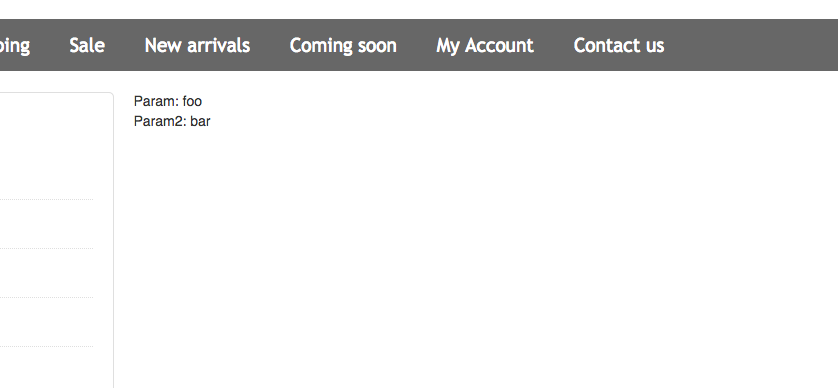
cart.php?target=example_request_demo. Here is an article that explains how to create a page in X-Cart. - You can call this page as 'cart.php?target=example_request_demo¶m=foo¶m2=bar' and this page will display values of these parameters as follows:
Implementation
-
We create a module with developer ID XCExample and module ID RequestDemo.
-
We create a page with target=example_request_demo customer area. Eventually, we will have three files in the module:
-
classes/XLite/Module/XCExample/RequestDemo/Controller/Customer/ExampleRequestDemo.phpwith the following content:<?php
// vim: set ts=4 sw=4 sts=4 et:
namespace XLite\Module\XCExample\RequestDemo\Controller\Customer;
class ExampleRequestDemo extends \XLite\Controller\Customer\ACustomer
{
} -
classes/XLite/Module/XCExample/RequestDemo/View/Page/Customer/ExampleRequestDemo.phpwith the following content:<?php
// vim: set ts=4 sw=4 sts=4 et:
namespace XLite\Module\XCExample\RequestDemo\View\Page\Customer;
/**
* @ListChild (list="center")
*/
class ExampleRequestDemo extends \XLite\View\AView
{
/**
* Return list of allowed targets
*
* @return array
*/
public static function getAllowedTargets()
{
return array_merge(parent::getAllowedTargets(), array('example_request_demo'));
}
/**
* Return widget default template
*
* @return string
*/
protected function getDefaultTemplate()
{
return 'modules/XCExample/RequestDemo/page/example-request-demo/body.twig';
}
} -
empty
skins/customer/modules/XCExample/RequestDemo/page/example-request-demo/body.twigtemplate.
-
-
We define the template's content as follows:
<div>
Param: {{ this.getParamValue() }} <br />
Param2: {{ this.getParam2Value() }}
</div> -
Now we need to define two methods:
getParamValue()andgetParam2Value()in the viewer class (\XLite\Module\XCExample\RequestDemo\View\Page\Customer\ExampleRequestDemo), so that the template could use them. -
We edit the
classes/XLite/Module/XCExample/RequestDemo/View/Page/Customer/ExampleRequestDemo.phpfile and define a newgetParamValue()method there as follows:public function getParamValue()
{
return \XLite\Core\Request::getInstance()->param;
}This is how easy you can pull the parameter's value from the HTTP request. Note that, we access POST and GET parameters all the same.
-
We define the
getParam2Value()method in the same file as follows:public function getParam2Value()
{
$return = '';
if (isset($_GET['param2'])) {
$return = $_GET['param2'];
}
return $return;
}As you can see, X-Cart allows to access
$_GETarray directly (as well as$_POST), but in this case you need to handle errors manually. -
Save the results and check the store. Call the
cart.php?target=tony¶m=foo¶m2=barscript and you will see the following result:
Module pack
You can download this module sample from here: XCExample-RequestDemo-v5_3_0.tar